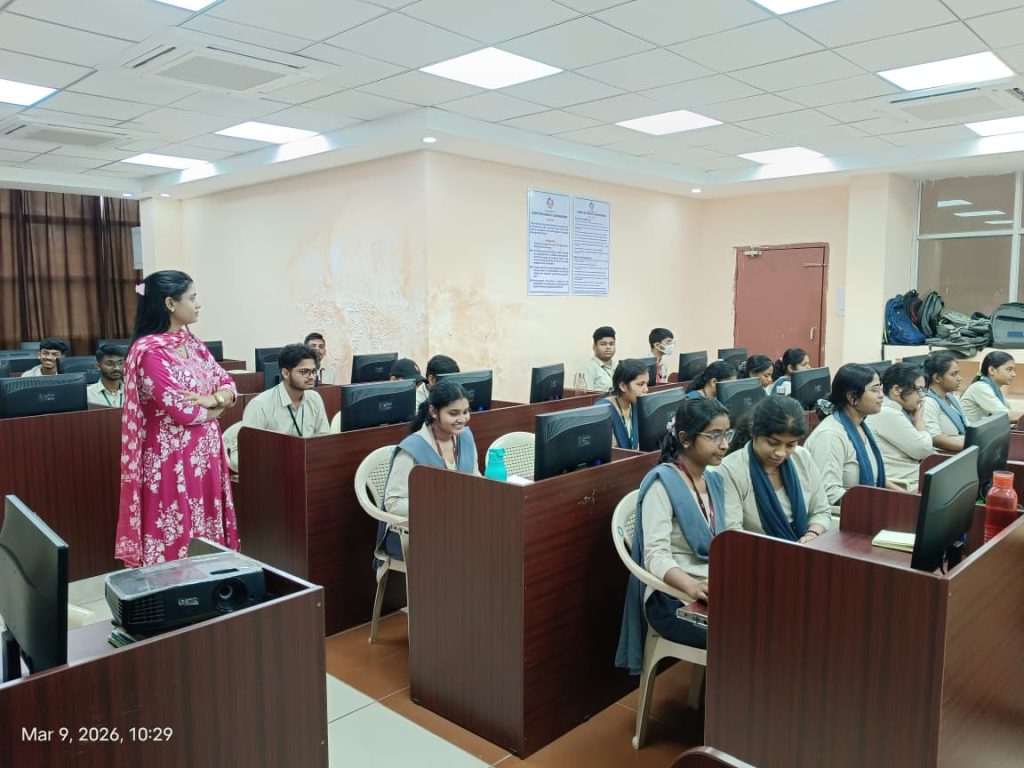
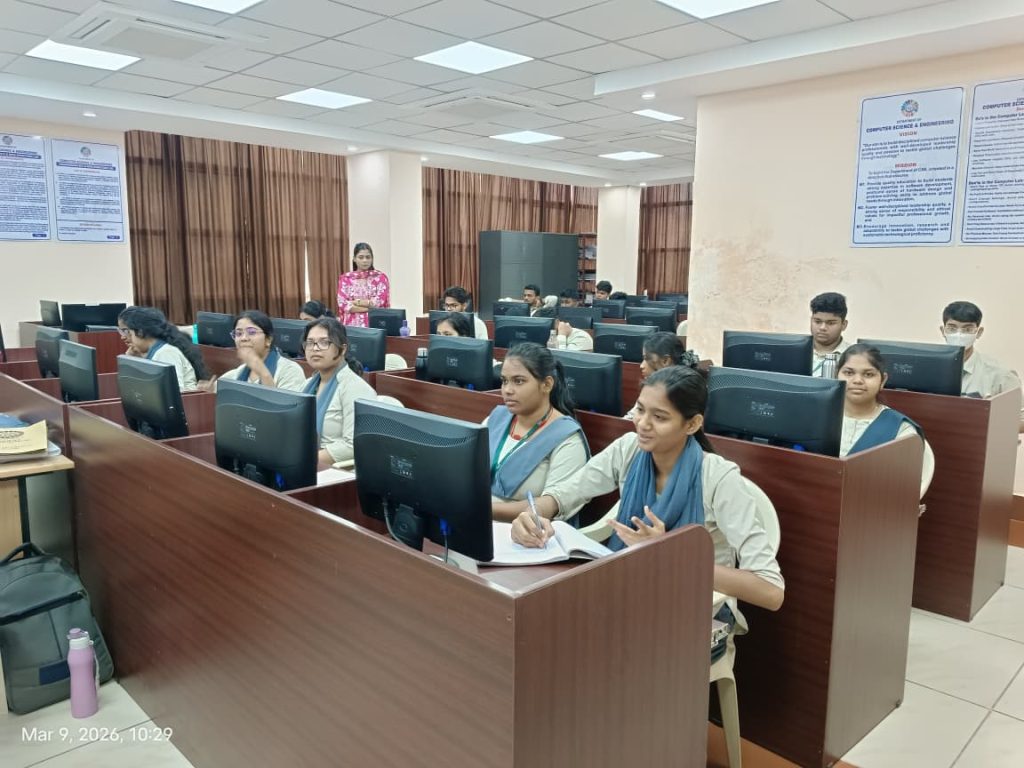
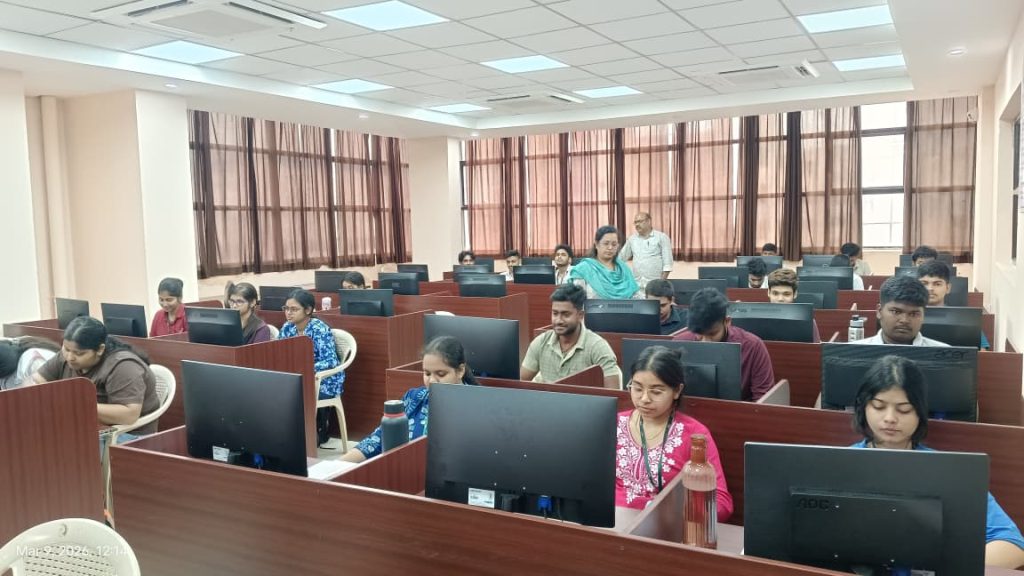
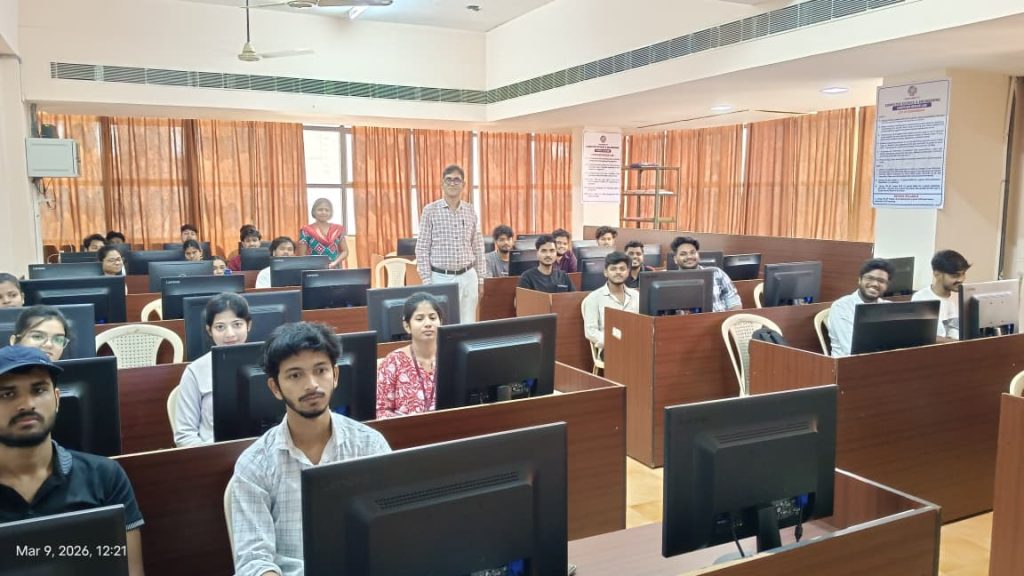
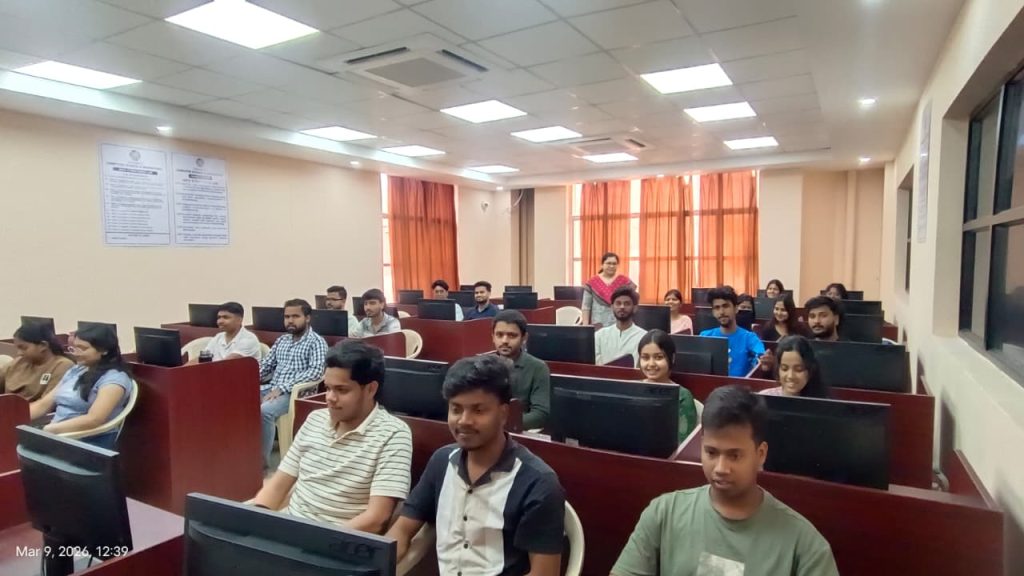
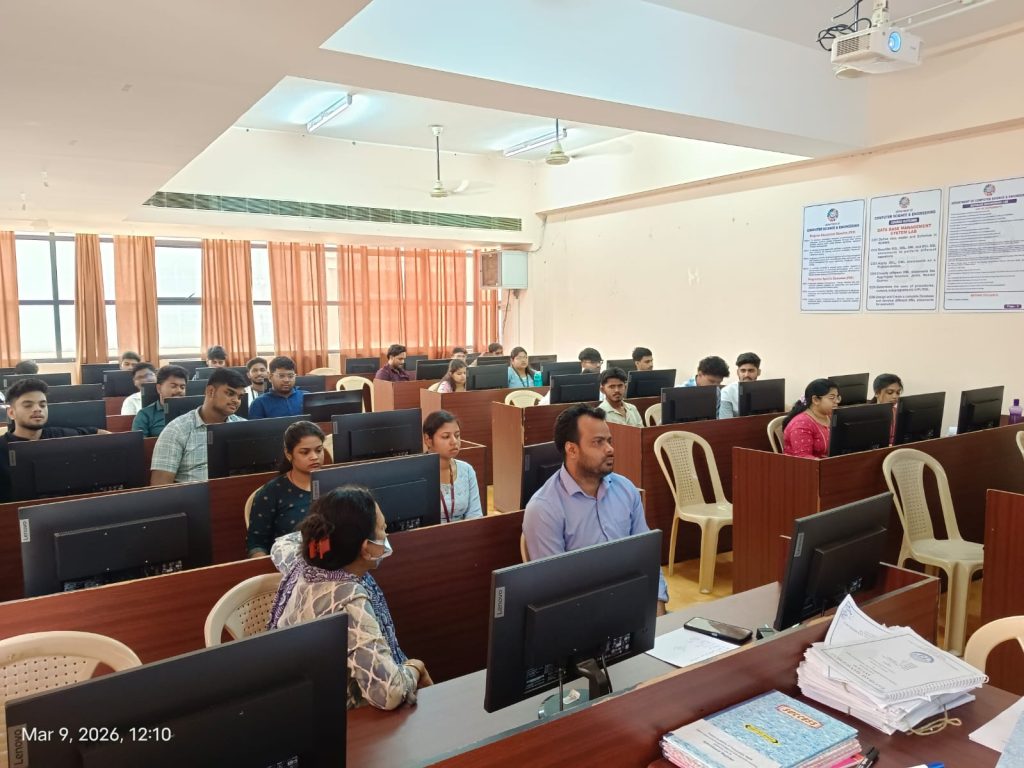
Programming Lab

Equipments / Configurations

  • Processor : Intel(R) Core(TM) i3-10100 CPU @ 3.60GHz
  • RAM : 8 GB
  • Storage : 256 GB SSD
  • Monitor : 18” TFT

Software Used

  • Dev C++ IDE
  • Code::Blocks IDE
  • Windows 10 Education Operating System

List of Experiments

Experiment Set 1

  1. Write a program to print your Bio-data.
  2. Write a program in C to test the arithmetic operators.
  3. Write a program to find Simple Interest and Compound Interest.

Experiment Set 2

  1. Test logical, bitwise, unary and ternary operators.
  2. Check whether a given year is a leap year.
  3. Calculate salary statement of an employee using basic pay, DA, HRA and TA.

Experiment Set 3

  1. Enter marks of 4 subjects and calculate Total, Aggregate %, and Grade.
  2. Display the day of the week using switch case.
  3. Menu driven program to find total, average, smallest and largest.

Experiment Set 4

  1. Check whether a number is palindrome.
  2. Generate prime numbers between two numbers.
  3. Print a pyramid star pattern.

Experiment Set 5

  1. Find largest, smallest, sum and average of an array.
  2. Sort an array in ascending order.
  3. Insert an element in an array at a desired position.

Experiment Set 6

  1. Swap two variables using function.
  2. Print Fibonacci series using function.
  3. Multiply two matrices using functions.

Experiment Set 7

  1. Find GCD using recursion.
  2. Store and display student data using structure.
  3. Check string palindrome using pointer.

Experiment Set 8

  1. Find smallest element and position using pointer.
  2. Implement realloc() and free().
  3. Demonstrate Dynamic Memory Allocation.

Experiment Set 9

  1. Implement Linked List insertion and deletion.
  2. Implement Stack Push and Pop.
  3. Implement Queue insertion and deletion.

Experiment Set 10

  1. Implement Quick Sort.
  2. Implement Linear Search.
  3. Implement Binary Search.

Data Structures Lab

Equipments / Configurations

  • Processor : Intel(R) Core(TM) i3-10100 CPU @ 3.60GHz
  • RAM : 8 GB
  • Storage : 256 GB SSD
  • Monitor : 18” TFT

Software Used

  • Dev C++ IDE
  • Code::Blocks IDE
  • Windows 10 Education Operating System

List of Experiments

  1. Write a C program to implement a Sparse Matrix.
  2. Create a Stack using an Array and perform PUSH, POP and Traversal operations.
  3. Create a Queue using an Array and perform Insertion, Deletion and Traversal.
  4. Perform Creation, Insertion, Deletion and Traversal on a Single Linked List using functions.
  5. Perform Creation, Insertion, Deletion and Traversal on a Doubly Linked List using functions.
  6. Perform Creation, Insertion and Deletion operations on a Binary Tree.
  7. Write a C program to perform Bubble Sort.
  8. Write a C program to perform Insertion Sort.
  9. Write a C program to perform Selection Sort.
  10. Write a C program to perform Quick Sort.
  11. Write a C program to perform Merge Sort.
  12. Write a C program to implement Linear Search.
  13. Write a C program to implement Binary Search.

Object Oriented Programming Lab

System Configuration

  • Processor : Intel(R) Core(TM) i3-10100 CPU @ 3.60GHz
  • RAM : 8 GB
  • Storage : 256 GB SSD
  • Monitor : 18” TFT

Required Software

  • Java Development Kit (JDK)
  • NetBeans IDE / Eclipse IDE
  • Apache Tomcat (for Applet / Web support if required)
  • Windows 10 Education Operating System

List of Experiments

  1. Write a Java program to print “Hello World!”.
  2. Write a program to demonstrate data types, variables, operators, arrays, and control structures.
  3. Write a program to define a class and constructors and demonstrate constructor usage.
  4. Write a program to define class, methods, and objects and demonstrate method overloading.
  5. Write a program to demonstrate inheritance and method overriding.
  6. Write a program to demonstrate Packages in Java.
  7. Write a program to demonstrate Exception Handling.
  8. Write a program to demonstrate Multithreading.
  9. Write a program to demonstrate Applet structure and event handling.
  10. Write a program to demonstrate different Layout Managers in Java.

Cloud Computing Foundation Lab

Course Objectives

  • To introduce the fundamental concepts and architecture of Cloud Computing.
  • To provide hands-on experience with cloud platforms and services.
  • To understand containerization, cloud deployment, and serverless computing.
  • To design and implement distributed systems and protocols in cloud environments.

System Configuration

  • Processor: Intel(R) Core(TM) i3-10100 CPU @ 3.60 GHz
  • RAM: 8 GB
  • Storage: 256 GB SSD
  • Monitor: 18” TFT
  • Internet: High-speed broadband connection

Operating System

  • Windows 10 Education Operating System
  • Linux Distribution (Ubuntu) – optional

Required Software / Tools

  • IBM Cloud Platform
  • Docker
  • IBM Cloud Container Registry
  • IBM Code Engine
  • Python / Shell scripting environment
  • Web Browser (Chrome / Firefox / Edge)

List of Experiments / Modules

Module Title Lab Name Details
Introduction to Cloud Computing Obtain IBM Cloud Feature Code and Activate Trial Account To facilitate hands-on skills development and enable completion of cloud labs, students will obtain a special Feature Code to create an IBM Cloud Trial Account.
This feature code allows the creation of an IBM Cloud account without requiring a credit card.
Students must retrieve the unique Feature Code and activate the trial account to access cloud resources.
Cloud Deployment Deploy an Application on Cloud In this hands-on lab, students will build a Docker container image, upload it to the IBM Cloud Container Registry, and deploy an application on the cloud using serverless technology such as IBM Code Engine.
The lab involves executing commands in a cloud-based environment through a web browser without requiring extensive programming knowledge.
Cloud Computing Concepts – Part 1 Programming Assignment Students will design, implement, and test distributed protocols including:

  • Distributed failure detection protocol
  • Distributed membership protocol

The assignment focuses on implementing distributed system concepts and verifying their correctness through testing.

Gossip Protocol Implementation Update Notes for Gossip Protocol Submission Students will update and prepare their submission scripts for the Gossip Protocol assignment.
The updated package includes the following files:

  • mp1-regen-data
  • run.sh
  • submit.py

These updates ensure system compatibility before assignment submission.

Database Engineering Lab

Course Objective

The objective of this laboratory is to provide hands-on experience in designing,
implementing, and manipulating relational databases using SQL and PL/SQL.
Students will learn database schema design, query processing, views, triggers,
procedures, joins, and transaction control statements.

System Configuration

  • Processor: Intel Core i3 / higher
  • RAM: 8 GB
  • Storage: 256 GB SSD
  • Operating System: Windows 10 / Linux

Required Software

  • Oracle Database / MySQL
  • SQL Developer / MySQL Workbench
  • Command Line SQL Client

List of Experiments

Experiment 1: Library Database

Consider the following schema:

BOOK (Book_id, Title, Publisher_Name, Pub_Year)
BOOK_AUTHORS (Book_id, Author_Name)
PUBLISHER (Name, Address, Phone)
BOOK_COPIES (Book_id, Programme_id, No_of_Copies)
BOOK_LENDING (Book_id, Programme_id, Card_No, Date_Out, Due_Date)
LIBRARY_PROGRAMME (Programme_id, Programme_Name, Address)

Tasks:

  • Retrieve details of all books in the library including title, publisher, authors and number of copies.
  • Get the borrowers who borrowed more than 3 books between Jan 2025 and Jun 2025.
  • Delete a book from BOOK table and update related tables.
  • Partition BOOK table based on publication year.
  • Create a view showing available books and number of copies.

Experiment 2: College Database

STUDENT (REGNO, SName, Address, Phone, Gender)
SEMSEC (SSID, Sem, Sec)
CLASS (REGNO, SSID)
COURSE (Subcode, Title, Sem, Credits)
IAMARKS (REGNO, Subcode, SSID, Test1, Test2, Test3, FinalIA)

  • List student details studying in 4th semester C section.
  • Compute number of male and female students in each semester and section.
  • Create a view for Test1 marks of student REGNO ‘1BP22CS101’.
  • Calculate FinalIA as average of best two tests.
  • Categorize students as Outstanding, Average, and Weak based on FinalIA.

Experiment 3: Order Database

SALESMAN (Salesman_id, Name, City, Commission)
CUSTOMER (Customer_id, Cust_Name, City, Grade, Salesman_id)
ORDERS (Ord_No, Purchase_Amt, Ord_Date, Customer_id, Salesman_id)

  • Count customers with grades above Bangalore’s average.
  • Find salesman with more than one customer.
  • List salesman with and without customers using UNION.
  • Create a view showing salesman with highest order of the day.
  • Delete salesman with id 1000 and remove all related orders.

Experiment 4: Privileges and Transactions

Tables:
Departments (dept_no, dept_name, dept_location)
Employees (emp_id, emp_name, emp_salary, dept_no)

  • Grant all privileges on employees table.
  • Grant selective privileges on employees table.
  • Revoke all privileges.
  • Revoke selective privileges.
  • Implement SAVEPOINT in transactions.

Experiment 5: SQL Joins

  • Display employee and department details using INNER JOIN.
  • Display employee name and department name using LEFT OUTER JOIN.
  • Display employee name and department name using RIGHT OUTER JOIN.
  • Display employees with salary greater than average salary.

Experiment 6: Election Commission Database

CONSTITUENCY (cons_id, csname, csstate, no_of_voters)
PARTY (pid, pname, psymbol)
CANDIDATES (cand_id, name, age, state, phone_no)
VOTER (vid, vname, vage, vaddr)

  • Find candidates contesting in more than one constituency in different states.
  • Display the state having maximum constituencies.
  • Create stored procedure to insert voter if age ≥ 18.
  • Create stored procedure to display number of voters in a constituency.
  • Create trigger to update voter count after voter insertion.

Experiment 7: Airline Flight Database

FLIGHTS (flno, distance, departs, arrives)
AIRCRAFT (aid, aname, cruisingrange)
CERTIFIED (eid, aid)
EMPLOYEES (eid, ename, salary)

  • Find pilots certified for Boeing aircraft.
  • Find aircraft that can fly non-stop from Delhi to Mumbai.
  • Find pilots certified for aircraft with range greater than 3000 miles.
  • Find employees with highest and second highest salary.
  • Find pilots certified for largest number of aircraft.
  • Find total salary paid to employees.

Experiment 8: Cursor Implementation

Employee (E_id, E_name, Age, Salary)

  • Create a cursor to extract employee records.
  • Declare variables, open cursor, fetch values, and close cursor.

Experiment 9: Stored Procedure – Student Grading

Tables:
Stud_Marks (Name, Total_Marks)
Result (Roll, Name, Class)

  • Create stored procedure proc_Grade to categorize students based on marks.
  • Use PL/SQL block to call the procedure.
  • Classify students as Distinction, First Class, and Higher Second Class.

Experiment 10: PL/SQL Fine Calculation

Borrower (Rollin, Name, Date_of_Issue, Name_of_Book, Status)
Fine (Roll_no, Date, Amt)

  • Accept Roll number and book name from user.
  • Calculate fine based on number of days after issue.
  • Update book status after submission.
  • Store fine details if applicable.
  • Use control structures and exception handling.

Computer Organization and Architecture Lab

System Configuration

  • Processor: Intel(R) Core(TM) i3-10100 CPU @ 3.60 GHz
  • RAM: 8 GB
  • Storage: 256 GB SSD
  • Monitor: 18” TFT

Operating System

  • Windows 10 Education Operating System

Required Software

  • C / C++ Compiler (GCC / Dev C++ / Turbo C)
  • Java Development Kit (JDK)
  • NetBeans IDE / Eclipse IDE
  • Apache Tomcat (for Applet / Web support if required)
  • Hardware Simulation Tools (Logisim / Proteus)
  • Microsoft Office / LibreOffice for documentation

List of Experiments

  1. Simulation and Design of Fast Multiplication and Division Programs
    Design and simulate programs that perform fast multiplication and division operations to understand arithmetic processing and algorithm efficiency in computer systems.
  2. Experiments using Hardware Training Kits
    Perform experiments using hardware training kits to study the working and interfacing of devices such as floppy disk drives, dot matrix printers, and other peripheral components.
  3. Dismantling and Assembling of a Personal Computer
    Dismantle and assemble a PC system to study internal components including connections, ports, chipsets, SMPS, and other hardware parts. Draw and label the block diagram of the motherboard and other relevant boards.
  4. Study Project on Hardware Technologies
    Undertake a study project on various hardware technologies such as memory systems, serial bus, parallel bus, microprocessors, input/output devices, and motherboard architecture.

Design and Analysis of Algorithms Lab

System Configuration

  • Processor: Intel(R) Core(TM) i3-10100 CPU @ 3.60 GHz
  • RAM: 8 GB
  • Storage: 256 GB SSD
  • Monitor: 18” TFT

Operating System

  • Windows 10 Education Operating System

Required Software

  • C / C++ Compiler (GCC / Dev C++ / Turbo C++)
  • Java Development Kit (JDK)
  • NetBeans IDE / Eclipse IDE
  • Graph Plotting Tools (GNU Plot / Excel / Python Matplotlib for analysis)
  • Microsoft Office / LibreOffice for documentation

List of Experiments

  1. Selection Sort
    Sort a given set of n integer elements using the Selection Sort method and compute its time complexity. Run the program for varied values of n > 5000 and record the time taken to sort. Plot a graph of time taken versus n. The elements can be generated using a random number generator or read from a file. Demonstrate the brute force technique and analyze its worst case, average case, and best case time complexity.
  2. Quick Sort
    Sort a given set of n integer elements using the Quick Sort method and compute its time complexity. Run the program for varied values of n > 5000 and record the time taken to sort. Plot a graph of time taken versus n. Demonstrate the divide-and-conquer technique and analyze its worst case, average case, and best case time complexity.
  3. Merge Sort
    Sort a given set of n integer elements using the Merge Sort method and compute its time complexity. Run the program for varied values of n > 5000 and record the time taken to sort. Plot a graph of time taken versus n. Demonstrate the divide-and-conquer technique with analysis of worst case, average case, and best case complexities.
  4. Greedy Method – Knapsack Problem
    Write a program to solve the Knapsack problem using the Greedy approach and demonstrate the selection of items based on maximum profit and weight constraints.
  5. Dijkstra’s Algorithm
    Write a program to find the shortest path from a given vertex to all other vertices in a weighted connected graph using Dijkstra’s algorithm.
  6. Kruskal’s Algorithm
    Write a program to find the Minimum Cost Spanning Tree (MCST) of a connected undirected graph using Kruskal’s algorithm with Union-Find techniques.
  7. Prim’s Algorithm
    Write a program to find the Minimum Cost Spanning Tree (MCST) of a connected undirected graph using Prim’s algorithm.
  8. Dynamic Programming Problems
    • Write a program to solve the All-Pairs Shortest Path problem using Floyd’s algorithm.
    • Write a program to solve the Travelling Salesperson Problem using Dynamic Programming.
    • Write a program to solve the 0/1 Knapsack problem using Dynamic Programming.
  9. Subset Sum Problem
    Design and implement a C++/Java program to find a subset of a given set S = {S1, S2, …, Sn} of positive integers whose sum is equal to a given positive integer d. Display all possible solutions or show a message if no solution exists.
  10. Hamiltonian Cycle
    Design and implement a program to find all Hamiltonian cycles in a connected undirected graph using the Backtracking technique.

Advanced Programming Lab

System Configuration

  • Processor: Intel(R) Core(TM) i3-10100 CPU @ 3.60 GHz
  • RAM: 8 GB
  • Storage: 256 GB SSD
  • Monitor: 18” TFT

Operating System

  • Windows 10 Education Operating System

Required Software

  • Python (Anaconda / Python 3.x)
  • Jupyter Notebook / Google Colab
  • Python Libraries: NumPy, Pandas, Matplotlib, Seaborn
  • Machine Learning Libraries: Scikit-Learn
  • Deep Learning Libraries: TensorFlow / Keras / PyTorch
  • IDE: VS Code / PyCharm / Jupyter Notebook

List of Experiments

The following programs may be implemented using real-time datasets or synthetic datasets in Python.

  1. Linear Regression
    Write a Python program to implement Linear Regression and analyze the relationship between dependent and independent variables.
  2. Logistic Regression
    Develop a Logistic Regression model and evaluate its performance using appropriate classification metrics.
  3. K-Means Clustering
    Write a program to implement K-Means clustering and visualize the clusters using appropriate plotting techniques.
  4. Decision Tree Classifier
    Explain and implement a Decision Tree Classifier and analyze its performance on a dataset.
  5. Naive Bayes Classification
    Write a Python program to implement Naive Bayes classification and evaluate the prediction results.
  6. Support Vector Machine (SVM)
    Implement a Support Vector Machine classifier and discuss the classification results.
  7. k-Nearest Neighbors (k-NN)
    Write a program to implement the k-NN algorithm and analyze its performance for classification tasks.
  8. Gradient Boosting
    Write a program to implement the Gradient Boosting algorithm and evaluate its predictive performance.
  9. Convolutional Neural Network (CNN)
    Write a program to implement a CNN model using an image dataset for image classification.
  10. Model Comparison using Synthetic Data
    Write a program to generate synthetic data, apply multiple machine learning algorithms, and compare the performance of the models using appropriate evaluation metrics.

Data Science Lab

Course Objectives

This course aims to provide hands-on experience in R programming and data visualization.
Students will learn to install and use R/RStudio, manipulate data, create various data structures, and apply
loops and functions. They will explore data visualization techniques, implement graphical representations,
and connect to different data sources, culminating in creating and saving Tableau workbooks.

System Configuration

  • Processor: Intel(R) Core(TM) i3-10100 CPU @ 3.60 GHz
  • RAM: 8 GB
  • Storage: 256 GB SSD
  • Monitor: 18” TFT

Operating System

  • Windows 10 Education Operating System
  • Linux Distribution (Ubuntu) – optional

Required Software / Tools

  • R Programming Language
  • RStudio IDE
  • R Visualization Packages (ggplot2, dplyr, tidyverse)
  • Tableau Desktop / Tableau Public
  • Web Browser (Chrome / Firefox / Edge)

List of Experiments

  1. Installing R and RStudio
    Install and configure the R programming environment and RStudio IDE.
  2. Basic Operations in R
    Perform arithmetic operations, logical operations, and basic scripting in R.
  3. Getting Data into R
    Load datasets into R and perform basic data manipulation techniques.
  4. Basic Plotting
    Create simple graphical plots to visualize data.
  5. Loops and Functions
    Implement loops and user-defined functions in R programming.
  6. Data Structures in R
    Create and perform operations on vectors, lists, arrays, matrices, and data frames.
  7. Data Visualization Using Packages
    Demonstrate visualization techniques using R visualization libraries.
  8. Loop Functions in R
    Implement loop-based functions such as:

    • lapply()
    • sapply()
    • tapply()
    • apply()
    • mapply()
  9. Exploring Data Using Single Variables
    Visualize single-variable distributions using histograms, density plots, and bar charts, and identify unimodal and bimodal distributions.
  10. Exploring Data Using Two Variables
    Create line plots, scatter plots, smoothing curves, and bar charts for analyzing relationships between variables.
  11. Connecting to Data Sources
    Import data from external sources such as CSV files, databases, and web sources.
  12. Creating Charts
    Design univariate, bivariate, and multivariate charts using visualization tools.
  13. Creating Maps
    Generate geographical visualizations and maps using appropriate tools.
  14. User-Defined Fields
    Create and calculate user-defined fields for analysis and visualization.
  15. Saving and Publishing Workbooks
    Save and publish a Tableau workbook on Tableau Server or the web.

Operating Systems Lab

System Configuration

  • Processor: Intel(R) Core(TM) i3-10100 CPU @ 3.60 GHz
  • RAM: 8 GB
  • Storage: 256 GB SSD
  • Monitor: 18” TFT

Operating System

  • Windows 10 Education Operating System
  • Linux Distribution (Ubuntu / Fedora / CentOS)

Required Software

  • GCC Compiler for C Programming
  • Linux Terminal / Bash Shell
  • Android Studio for Mobile Application Development
  • Text Editor / IDE (VS Code / Code::Blocks / Sublime Text)

List of Experiments

  1. Installation of Operating System
    Install and configure an operating system (Linux/Windows) and study the basic system environment.
  2. Linux Administrative Commands
    Practice common Linux administrative commands for file management, process monitoring, and system administration.
  3. UNIX Shell Programming
    Write and execute shell scripts to automate basic system tasks and operations.
  4. Process Management using System Calls
    Write programs demonstrating system calls such as fork(), exit(), getpid(), wait(), and close().
  5. Synchronization Problems
    Implement classical synchronization problems such as Dining Philosophers, Cigarette Smokers, or Sleeping Barber problems.
  6. CPU Scheduling Algorithms
    Simulate CPU scheduling algorithms such as First Come First Serve (FCFS), Round Robin (RR), and Shortest Job First (SJF).
  7. Banker’s Algorithm
    Simulate Banker’s Algorithm for deadlock avoidance and analyze system resource allocation.
  8. Page Replacement Algorithms
    Write programs to simulate page replacement algorithms such as FIFO, LRU, and Optimal.
  9. Thread Programming
    Write C programs to implement multithreading and demonstrate concurrent execution.
  10. Paging Scheme Implementation
    Implement a paging scheme using C programming to demonstrate memory management techniques.
  11. Memory Allocation Methods
    Write C programs to implement memory allocation techniques:

    • First Fit
    • Worst Fit
    • Best Fit
  12. Android Programming
    Develop a basic Android mobile application to understand mobile operating system concepts.

Machine Learning Lab

System Configuration

  • Processor: Intel(R) Core(TM) i3-10100 CPU @ 3.60 GHz
  • RAM: 8 GB
  • Storage: 256 GB SSD
  • Monitor: 18” TFT

Operating System

  • Windows 10 Education Operating System
  • Linux (Ubuntu) – optional for development

Required Software / Tools

  • Python 3.x
  • Anaconda Distribution
  • Jupyter Notebook / Google Colab
  • Python Libraries: NumPy, Pandas, Matplotlib, Seaborn
  • Machine Learning Libraries: Scikit-learn
  • Deep Learning Libraries: TensorFlow / PyTorch
  • IDE: VS Code / PyCharm / Jupyter Notebook

Lab Assignments

  1. Introduction to Python Programming
    • Install Python and set up Anaconda.
    • Write basic Python scripts including loops, conditional statements, and functions.
  2. Introduction to Machine Learning Libraries using Python
    • Overview of commonly used libraries for machine learning and data analysis.
  3. Working with NumPy, Matplotlib, and Pandas
    • NumPy: Perform matrix operations, loops, and conditional computations.
    • Matplotlib: Create and customize plots and visualizations.
    • Pandas: Load, explore, and summarize datasets.
  4. Statistical Analysis using Python
    Write a Python program to find the mean, median, mode, variance, and standard deviation of a list of numbers.
  5. Overview of Machine Learning Frameworks
    Study the features and applications of Scikit-learn, TensorFlow, and PyTorch libraries.
  6. Linear Regression
    Implement the Linear Regression algorithm using Python.
  7. Logistic Regression
    Implement the Logistic Regression algorithm for classification tasks.
  8. k-Nearest Neighbors (k-NN)
    Implement the k-NN algorithm and analyze classification results.
  9. Decision Tree
    Implement the Decision Tree algorithm for classification or prediction.
  10. Random Forest
    Implement the Random Forest algorithm and evaluate model performance.
  11. Support Vector Machine (SVM)
    Implement the Support Vector Machine algorithm for classification tasks.
  12. Principal Component Analysis (PCA)
    Implement PCA for dimensionality reduction and visualization of datasets.
  13. K-Means Clustering
    Implement the K-Means clustering algorithm to group similar data points.

Real-World Applications

  • Image Classification
  • Text Classification
  • Regression Problems (e.g., Housing Price Prediction)

Project for Product Development Lab

System Configuration

  • Processor: Intel(R) Core(TM) i3-10100 CPU @ 3.60 GHz
  • RAM: 8 GB
  • Storage: 256 GB SSD
  • Monitor: 18” TFT

Operating System

  • Windows 10 Education Operating System

Required Software / Tools

  • Microsoft Office / LibreOffice for documentation and presentations
  • Project Management Tools (MS Project / Trello / Asana)
  • Data Analysis Tools (Excel / Google Sheets / Python-based tools)
  • Presentation Tools (PowerPoint / Google Slides)
  • Internet and Market Research Tools

Instruction Methodology

The course is organized as an independent project-based learning activity conducted in teams of
4–5 students. Each team is responsible for developing a product idea from concept to a
stage where it is ready for potential market launch for a specific organization or business context.

The project work is supported by methodological lectures that introduce frameworks, tools,
and techniques used in modern product development and innovation management.

Throughout the course, the project is presented during a series of seminars where peer groups
act as opponents and evaluate the progress of the project. These presentations function as
“control gates” that help monitor the development process and ensure the project is progressing
towards a feasible and market-ready solution.

The course concludes with a final seminar presentation, where the project team presents
their developed product concept and supporting analysis. Based on the evaluation and discussion,
a decision is made regarding whether the product is suitable for launch or requires further development.

Artificial Intelligence Lab

Course Objectives

  • Understand the basic concepts and techniques of Artificial Intelligence.
  • Gain hands-on experience with various AI algorithms including search, reasoning, and learning.
  • Develop intelligent agents capable of decision-making, problem-solving, and learning from data.
  • Learn to implement and evaluate machine learning algorithms and neural networks.
  • Apply AI techniques to real-world problems through simulations or mini-projects.
  • Familiarize students with popular AI programming languages and tools.

System Configuration

  • Processor: Intel(R) Core(TM) i3-10100 CPU @ 3.60 GHz
  • RAM: 8 GB
  • Storage: 256 GB SSD
  • Monitor: 18” TFT

Operating System

  • Windows 10 Education Operating System
  • Linux Distribution (Ubuntu) – optional

Required Software / Tools

  • SWI-Prolog / GNU Prolog
  • Python Programming Language
  • AI / Machine Learning Libraries (NumPy, scikit-learn, TensorFlow)
  • Jupyter Notebook / Google Colab
  • Web Browser (Chrome / Firefox / Edge)

List of Experiments

  1. Study of PROLOG Programming
    Study the basic syntax, predicates, and functions of PROLOG. Write simple facts and rules for given statements.
  2. Arithmetic Operations in PROLOG
    Write a PROLOG program to implement simple arithmetic operations.
  3. Breadth-First Search (BFS)
    Implement BFS algorithm to traverse graphs or trees and find a solution path.
  4. Depth-First Search (DFS)
    Implement DFS algorithm for searching through state spaces.
  5. A* Search Algorithm
    Implement A* algorithm for efficient pathfinding using heuristics.
  6. 8-Puzzle Problem
    Solve the 8-puzzle problem using heuristic search techniques such as A*.
  7. Water Jug Problem
    Write a PROLOG program to solve the water jug problem using state-space search.
  8. Knowledge Representation
    Represent knowledge using propositional logic and predicate logic.
  9. Wumpus World Simulation
    Implement a Wumpus World environment using logic-based agents.
  10. Expert System Implementation
    Develop a simple expert system using rule-based reasoning techniques such as forward chaining and backward chaining.

Predictive Analysis Lab

Course Objectives

  • To introduce students to statistical analysis using SPSS and Python.
  • To provide hands-on experience in data preparation, transformation, and management.
  • To apply statistical and analytical techniques for interpreting real-world data.
  • To develop skills in performing statistical tests and multivariate analysis.
  • To understand and implement predictive analytics and decision-making models.

System Configuration

  • Processor: Intel(R) Core(TM) i3-10100 CPU @ 3.60 GHz
  • RAM: 8 GB
  • Storage: 256 GB SSD
  • Monitor: 18” TFT

Operating System

  • Windows 10 Education Operating System
  • Linux Distribution (Ubuntu) – optional

Required Software / Tools

  • IBM SPSS Statistics
  • Python Programming Language
  • Python Libraries (NumPy, Pandas, SciPy, scikit-learn, statsmodels)
  • Jupyter Notebook / Google Colab
  • Web Browser (Chrome / Firefox / Edge)

List of Experiments

  1. Introduction to SPSS
    Perform basic operations such as sorting files, splitting files, computing variables, recoding variables, and selecting cases using SPSS.
  2. Chi-Square Test
    Write a Python program to perform Chi-Square tests for both parametric and non-parametric data.
  3. Exploratory Factor Analysis
    Write a Python program to perform exploratory factor analysis to identify underlying factors within datasets.
  4. Cluster Analysis
    Write a Python program to perform clustering techniques for grouping similar data points.
  5. Logistic Regression
    Write a Python program to implement logistic regression for classification problems.
  6. Discriminant Analysis
    Write a Python program to perform discriminant analysis for classification and prediction.
  7. Confirmatory Factor Analysis
    Write a Python program to validate factor structures using confirmatory factor analysis.
  8. Conjoint Analysis
    Write a Python program to analyze consumer preferences and evaluate product features using conjoint analysis.
  9. Time Series Analysis
    Write a Python program to perform time series analysis using different datasets.
  10. Decision Tree Analysis
    Write a Python program to implement decision tree algorithms for classification and prediction.